CPA (cost per acquisition) is what one conversion costs you on average: your ad spend divided by the number of conversions it brought. The acquisition is the action you chose to count: a sale, a submitted form, a call. CPA tells you if your ads buy customers at a price your margin can carry. It is also the instruction behind the bid strategy that aims for a cost per conversion. It concerns you if you run your own campaigns, or if you hand them over and want to read your reports knowing what each number counts. The division fits on one line. The real work is to choose what goes below the line, and then to know which CPA your margin lets you pay.
What Is CPA Used For?
CPA links a cost to what it produced. Three uses come up on every account:
- Judging profitability: a CPA is read next to what one conversion leaves you. If a sale leaves you 40 EUR of margin, each sale stays profitable as long as its CPA stays under 40 EUR.
- Comparing your campaigns: two campaigns that aim for the same conversion can be ranked on their CPA, as long as you read them separately. The example below shows why.
- Steering bids: the Google Ads Target CPA strategy takes an average cost per conversion as its instruction and sets each bid to get close to it.
How Do You Calculate CPA?
The formula: CPA = cost ÷ conversions. 1,000 EUR spent for 40 conversions gives a CPA of 25 EUR.
In Google Ads, this number shows in the "Cost / conv." column. The point that changes everything is what you divide by. According to the Google Ads Help page on conversion goals, only the primary conversion actions your campaign optimizes toward appear in the "Conversions" column. Secondary actions stay visible in "All conv.". The Google Ads API documentation confirms it for cost per conversion: it only includes the actions counted in the "Conversions" column. So if you switch an action from secondary to primary, your CPA changes without a single extra sale.
CPA also splits into two numbers you already track: CPA = CPC ÷ conversion rate. A 1 EUR click that converts once every 25 clicks, so 4%, gives a CPA of 25 EUR. This version shows the two levers: pay less for the click, or get more clicks to convert. The first one is the topic of the CPC guide. The second one depends on the conversion rate, which Google calculates by dividing conversions by ad interactions.
A Real Example: One Average Hiding Two CPAs
On an online shop I work with, from July 18 to October 15, 2026, the account shows a CPA of 18.66 EUR on its reference conversion, the purchase. This number is correct, and it describes no campaign in particular. Campaign by campaign:
- the Search campaign on the shop's name: 8.30 EUR per purchase, with 6.74% of clicks that buy;
- the Search campaigns on products, for people who do not know the brand yet: 27.34 EUR per purchase, with 2.74% of clicks that buy;
- the Shopping campaigns: 20.99 EUR per purchase.
The prospecting click costs 0.75 EUR, against 0.56 EUR on the brand name: 34% more. The CPA is 3.3 times higher, because the conversion rate is 2.5 times lower. The formula above checks out: 0.56 EUR divided by 6.74% gives 8.30 EUR again, give or take the rounding. The brand campaign receives people who were already looking for the shop. Prospecting goes after people who do not know it yet. These are two different jobs, and the account average mixes them according to the number of conversions in each.
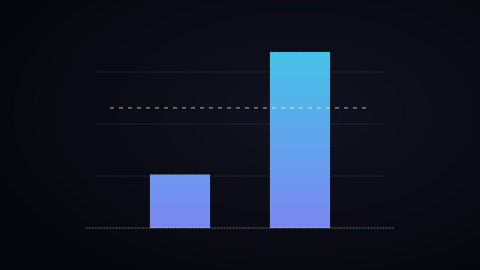
So CPA is read campaign by campaign: budget decisions happen at that level, and the account CPA is for the overall review.
CPA Or CAC: What Each One Counts
The two acronyms look alike and measure two different things. CPA counts every conversion your campaigns brought, from a new customer or from a loyal customer who comes back to buy. CAC (customer acquisition cost) only counts new customers, and it adds up everything you spend to win them: advertising and sales costs.
If half of a shop's purchases come from customers who had ordered before, the ad cost per new customer is twice the CPA, before you even add the other costs. Google Ads can make the difference: according to the Help page on customer lifecycle goals, the "Customer acquisition" goal lets you bid higher for new customers than for existing ones, or only bid for new customers. The CAC calculator does the full count, advertising and sales costs included.
CPA Or Target CPA: The Result And The Instruction
CPA is a result: you calculate it afterwards, over a period. Target CPA is an instruction: the average cost per conversion you ask the bid strategy to hold. According to the Target CPA Help page, Google Ads then sets each bid based on how likely the ad is to bring a conversion. Since June 2026, the strategy is simply called "Target CPA" instead of "Maximize conversions with a Target CPA".
The two work together. When your campaign has history, the Target CPA that Google recommends is your average CPA over the last 30 days, adjusted for conversion delays. To judge the result, Google recommends measuring over 30 days with at least 30 conversions, and reading your real CPA next to the "Average target CPA", which includes your target changes over time. A target set far below your real CPA has a cost that the Help page names: you may miss clicks that would have converted, and end up with fewer conversions in total.
What CPA Should You Aim For? Start From Your Margin
A CPA is judged next to what one conversion brings you. You calculate the limit before you look at your campaigns: it is the break-even CPA, the cost per conversion above which each sale loses money.
Break-even CPA = average order value × net margin × closing rate
The closing rate is the share of conversions that become customers: 100% for an online shop, where the conversion is already the sale, and less for a quote request. With an average order value of 1,000 EUR, a 10% net margin and a 70% closing rate, the break-even CPA is 70 EUR. If you want to keep 10% of that margin as profit, your ideal CPA becomes 63 EUR. This is the example of the ideal CPA calculator, which runs the numbers with your own figures and places your current CPA on the scale. For a cost per lead, the detailed method is in the article how much you should pay per lead on Google Ads.
My recommendation is to set this limit before you read the CPA of your campaigns. A 30 EUR CPA is excellent under a 70 EUR break-even, and it loses money under a 20 EUR break-even.
Common Mistakes
- Adding up conversions that are not worth the same. On a lead generation account I work with, the campaigns optimize for two actions: the request form and the WhatsApp contact. From July 18 to October 15, 2026, they spent 5,309 EUR for 202 conversions, a CPA of 26.28 EUR. 151 of these conversions are WhatsApp contacts, 75% of the total. Divided by the 51 forms alone, the same spend comes to 104.10 EUR per form. Both numbers are correct and answer two different questions: the closing rate of each action tells you which one to follow.
- Comparing your CPA with another account's CPA. A CPA depends on what the conversion counts, on your product price and on your margin. A 26 EUR CPA on a lead and an 8 EUR CPA on a purchase measure two unrelated things.
- Judging on too few conversions. In a week with five conversions, one sale more or less moves the CPA by 17% to 25%. This is why Google recommends evaluating Target CPA over 30 days and at least 30 conversions.
- Reading the last few days as final. Google adjusts its recommended Target CPA for conversion delays: part of the conversions arrive after the click, so read the current week's CPA as temporary.
The Limits Of CPA
CPA treats every conversion as equal. A 30 EUR order and a 300 EUR order weigh the same in the calculation, and a stable CPA can sit next to an average order value that goes up or down. As soon as sale values vary, ROAS, which divides conversion value by cost, describes better what your ads bring back.
CPA also stops at the conversion. A customer who comes back to buy three times cost the same CPA as a customer who came once: LTV, the value of a customer over the whole relationship with you, measures that difference. Finally, CPA is only as accurate as your conversion tracking: a tag that counts each purchase twice cuts your CPA in half on paper.
The Three Most Searched Questions
Are CPA and CPL the same thing? CPL (cost per lead) is a CPA where the conversion is a lead: a form, a quote request, a call. The calculation is the same, cost divided by the number of leads. The difference is the closing rate: a lead still has to become a customer, so your maximum CPL takes into account the share of leads who sign.
What is a good CPA in marketing? A CPA under your break-even CPA, which is average order value × net margin × closing rate, and ideally under your ideal CPA, which also keeps the profit you aim for. You calculate it for your own offer: the same 40 EUR CPA leaves room on a 2,000 EUR sale with a 10% net margin, and is higher than the order itself on a 30 EUR purchase.
What is the difference between CPA, CPC and CPM? All three divide your cost by a different unit: the conversion for CPA, the click for CPC, a thousand impressions for CPM. They connect in a chain: the clickthrough rate turns a CPM into a CPC, then the conversion rate turns a CPC into a CPA. So a low CPM can still end in a high CPA.
Before you try to lower a CPA, open your campaigns and write down, for each one, the conversion action that fills its "Conversions" column. A CPA can only be fixed once everyone knows what it counts. For an outside look at your campaigns, ask for a Google Ads audit; for ongoing follow-up, Google Ads management.