Google Ads is Google's online advertising program: you create ads that show in Google search results, on YouTube and on partner websites, at the moment people are interested in what you sell. Opening an account is free, and there is no minimum spend: you set your budget, and on the Search Network you pay when someone clicks your ad. Your place on the page is decided on every search, in an auction where a more relevant ad can rank above a higher bid. For a business owner or a marketing manager, it is the shortest path to someone who is already looking for your product, whether you run the account yourself or hand it to a freelance Google Ads consultant.
What Is Google Ads Used For?
In Google Ads, everything starts with a goal and a campaign type. Three uses cover most accounts:
- Being found at the moment of search: Search campaigns show a text ad near the results when a search matches your keywords. This is the original use, the one that captures demand people have already expressed.
- Showing your products with their price: Shopping campaigns show your product listings in search results and in the Google Shopping tab, based on the inventory you upload to Merchant Center.
- Getting known before the search: Display campaigns reach people on millions of websites and apps, Video campaigns reach them on YouTube, and App campaigns drive installs across Search, Google Play, YouTube and Discover.
Performance Max brings these placements together in one campaign, run by Google AI from your conversion goals.
How Does Google Ads Work?
The mechanism has three steps, and the second one runs again on every search:
- You set up the account: according to Google Ads Help, it has three layers. The account holds your email address, your password and your billing information. Each campaign has its own budget and settings. Each ad group holds ads and the keywords that trigger them.
- Google runs an auction: when someone types a search, the system finds the ads whose keywords match, sets aside the ones that are not eligible, then ranks the others. This decides which ads show and in what order.
- You pay for the action you chose: on the Search Network, that action is the click. With CPC pricing, which Google says is sometimes called pay-per-click (PPC), you pay for each click on your ad. An impression alone is free.
Because the auction runs again for every search, its result changes with the competition at that moment. Google says it is normal to see your ad position move from one search to the next, and your ad show or not.
Ad Rank: How A Relevant Ad Moves Up
To rank the ads, Google calculates a score for each one: Ad Rank. Google Ads Help bases it on six factors:
- your bid, the maximum amount you agree to pay for a click;
- the quality of your ad and your landing page;
- the Ad Rank thresholds, the minimum an ad must reach to show;
- the competitiveness of the auction, when two ads have close Ad Ranks;
- the context of the search: the words typed, the location, the device, the time;
- the expected impact of your assets, such as a phone number or links to other pages of your site.
Think of a tender: the price offered matters a lot, but the strongest proposal can win at a lower price. Google says it clearly: even if your competition bids higher than you, you can still win a higher position, at a lower price, with highly relevant keywords and ads. You can read this quality check in your Quality Score, inside your account.
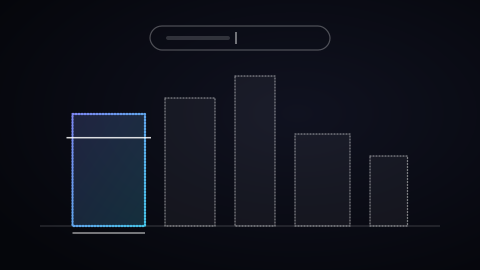
The Help page gives a simplified example. Seven advertisers have an Ad Rank of 80, 50, 30, 10, -10, -30 and -35. If the threshold to show is 0, the last three show nowhere. If the threshold for the top of the page, usually above the results, is 40, only the first two can show there. The ads at 30 and 10 show lower on the page.
How Much Does Google Ads Cost?
Opening an account costs nothing. According to Google's definition, there is no minimum spending commitment, and you set and control your own budget. After that, the price works on two levels.
The first level is the click price. Your maximum CPC is the most you agree to pay. Your actual CPC, the amount you are charged, is often lower: you only pay what is needed to clear the Ad Rank thresholds and beat the ad right below yours. If no competitor is below you, you pay the reserve price. The same page says that clicks at the top of the page usually cost more, because their thresholds are higher.
The second level is the budget. You set an average daily budget for each campaign. Because traffic changes from day to day, Google can spend up to 2 times that amount on a given day. Over a billing period, you are never charged more than 30.4 times your average daily budget, the average number of days in a month.
To turn your market into a first estimate, the Google Ads cost estimator shows what your budget buys in clicks, conversions and cost per customer.
A Real Example: From 0.64 EUR To 5.84 EUR Per Click
In the accounts I work on, the average CPC on the Search Network over the last 90 days goes from 0.64 EUR for an online store to 5.84 EUR for a credit broker. The same click costs 9 times more depending on the sector. The auction explains the gap: in a market where each customer brings in a lot of money, competitors bid high, so beating the ad below you costs more.
Take the budget from Google's example, in euros: 10 EUR per day on average, so 304 EUR at most for the month (10 × 30.4). At 0.64 EUR per click, those 304 EUR buy about 475 visits. At 5.84 EUR, they buy about 52. So read a budget in clicks bought in your sector, then in the share of those clicks that become customers. The article on how much to pay per lead covers that second step.
Google Ads, AdWords, AdSense, PPC: What Each Name Means
- AdWords is the old name. On July 24, 2018, Google AdWords became Google Ads. People still use the word, and it means the same platform.
- AdSense is the other side of the market. According to AdSense Help, AdSense is for publishers who want to earn money from their websites, and Google Ads is for advertisers who want to promote their products. You buy with Google Ads; a publisher earns with AdSense.
- PPC is the market name for the job: search ads paid per click. Google Ads is Google's platform for it, Microsoft Advertising is another one, and the PPC guide covers the basics.
Common Mistakes When You Start
- Launching without conversion tracking: Google Ads counts clicks on its own. Conversion measurement is what tells it what has value for you: a purchase, a sign-up or a phone call. When costs rise in an account, I start by checking tracking, then search terms and bid strategy, before touching the budget.
- Keeping default settings without checking them: a Search campaign includes search partners by default, and you can turn them off at any time in its settings. Look at where your clicks come from, then decide.
- Applying recommendations in bulk: the interface suggests recommendations, and I don't recommend applying them in bulk. Each one gets checked against your account data and your goal: some help, others widen delivery with no link to what earns you money.
- Sending every click to your home page: landing page quality is part of Ad Rank, and Google says higher quality ads often lead to lower CPCs. A page that answers the exact search improves both your position and your price.
The Limits Of Google Ads
- The Search Network follows demand: a search ad is triggered by a search. For a product nobody searches for yet, video, display or a social platform reach people earlier. The article Google Ads vs Facebook Ads puts it in one line: Google captures demand that already exists, Facebook creates demand that does not exist yet.
- The market sets the click price: you control your budget, and your actual CPC depends on the ad that follows you in the auction. A competitor who raises a bid or improves an ad changes what you pay.
- Every click is paid, whether it buys or leaves: profitability is the ratio between what your clicks cost and what your conversions bring in, measured on the action you chose as your goal.
Questions People Ask About Google Ads
Is Google Ads free? Opening an account is free, and Google sets no minimum spend. Showing ads is paid: on the Search Network, each click is charged, at most your maximum CPC and often less. You set your average daily budget, and you can change your campaigns and that budget at any time.
How much does Google Ads cost per month? You set it: you choose an average daily budget, and the monthly charge stays at or below 30.4 times that amount. That budget buys clicks whose price is set in each auction: in the accounts I work on, 0.64 EUR to 5.84 EUR on the Search Network, over 90 days.
Is Google Ads worth it? It is worth it when a conversion brings in more than the clicks it cost. So the answer is in your conversions and their value, measured on the action that matters for your business. The article are my Google Ads and Meta Ads campaigns profitable takes the math all the way to the real cost of a customer.