LinkedIn Ads is LinkedIn's advertising platform: you pay to show your ads in the network's feed and messaging, to members you choose by their job, company and seniority. Everything is set in Campaign Manager, LinkedIn's ad tool: the objective, the audience, the budget, the bid and the ads. The platform works best in B2B, when your customer is defined by their job rather than by what they type into a search engine.
What LinkedIn Ads Targets That Other Platforms Do Not
On Google Ads, you buy a search: someone types a query, your ad answers it. On Meta, you target interests, behaviors and audiences similar to your customers. On LinkedIn, you buy a role inside a company.
Targeting starts from members' profiles and their companies' pages. You combine:
- job title, job function and seniority;
- the skills members list;
- company name, size and industry;
- your own lists of companies and contacts, and your website visitors.
I measured what this gives from my LinkedIn ad account on 31 October 2026. France has 44 million members. Add the Marketing job function and the Director seniority: 70,000 remain, fewer than two in a thousand. Remove seniority and you climb back to 460,000; remove the job function and you reach 1.8 million directors across all functions. LinkedIn rounds these figures: they size an audience, they never count it.
LinkedIn works like a trade show where you pick the badges of the visitors walking past your booth. You do not know what they are looking for that day, and you know exactly who you are talking to.
How A LinkedIn Ads Campaign Is Built
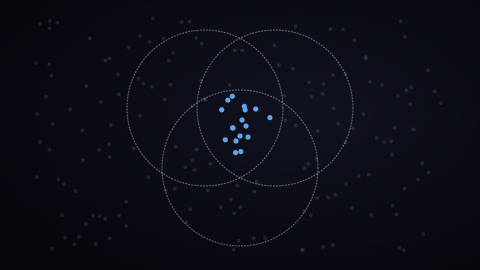
LinkedIn’s documentation describes four levels, from the broadest to the most precise:
- the ad account, where each user gets access with their role;
- the campaign group, which manages the status and budget of related campaigns together;
- the campaign, where you set the objective, audience, schedule, budget and bid;
- the ads, with their visual, text and landing page.
The objective comes first, because it decides which formats, bids and optimizations are available. LinkedIn offers seven: brand awareness, website visits, engagement, video views, lead generation, website conversions and job applicants.
The Formats, From Feed To Messaging
Each format lives in a precise spot on LinkedIn:
- in the feed, as a sponsored post: image, carousel, video, document and event;
- in messaging: Message and Conversation ads, delivered to the member's inbox, with a button to your page;
- Text Ads, Spotlight and Follower ads, the last one to win followers for your LinkedIn Page;
- the Lead Gen form, prefilled with profile data, attached to a feed or messaging ad.
The format follows the objective: in LinkedIn's documentation, Lead Gen form ads belong to the lead generation objective.
How Much LinkedIn Ads Costs
LinkedIn sells its placements at auction: you set a budget and a bid, and every impression is played out between the advertisers targeting the same member.
The budget is set per campaign, daily, total, or both. With both, on a campaign with no end date, LinkedIn can spend up to 150% of the daily budget on a day when auctions are favorable, without ever exceeding the total budget (campaign documentation).
For the bid, four families:
- maximum delivery: LinkedIn bids on its own to get the most results from your budget, and charges per impression;
- target cost: you set an average cost per result, and LinkedIn stays around it;
- cost cap: you set a maximum cost per result, and LinkedIn looks for the most results below it;
- manual bidding: you set the amount yourself, per click or per thousand impressions.
For an order of magnitude, I asked LinkedIn for its forecast on 31 October 2026, from my account: all of France, 50 € a day, manual bid at 5 € per click, website visits objective, over 30 days. The answer: between 571 and 1,143 clicks, for 774 to 1,548 € spent. On 18 October, the same simulation returned between 83 and 380 clicks, three times fewer at the top of the range!
A LinkedIn forecast therefore sizes a test: it reads as a range, and it moves from one week to the next.
Measure What Happens After The Click
Without measurement, LinkedIn sees clicks, never customers. Four conversion sources feed the platform:
- the Insight Tag, LinkedIn's tag on your website;
- the LinkedIn Conversions API, which sends conversions from your server;
- your connected CRM;
- file imports, for sales closed offline.
LinkedIn deduplicates the Insight Tag and the API when the event carries the same ID on both sides: I connect both together, with that ID, to keep as much signal as possible.
Two rules from the documentation matter before launch. A campaign optimized for conversions can be activated once a conversion is associated with it. And since February 2026, LinkedIn's API offers lead generation campaigns an optimization for qualified leads, on top of leads.
My recommendation is to judge LinkedIn Ads on qualified leads and on the contracts that follow, by connecting your CRM to the platform. A cost per click says nothing about the role of the person who clicked.
Before Launching: Four Questions
I work on LinkedIn Ads when the project calls for it, most often in B2B and alongside Google Ads. Before launching anything, I ask four questions:
- who makes the purchase decision;
- who influences it;
- in which companies;
- what a customer is worth.
The answers tell whether LinkedIn Ads belongs in your acquisition now, or whether another lever comes first. They also give the audience to measure: below the 50,000 members LinkedIn recommends to get results, widen one criterion before touching the budget.
Common Mistakes
- Stacking too many criteria from the start. Every criterion added as an intersection shrinks the audience. LinkedIn sets the minimum at 300 members to deliver, and an audience that is too narrow delivers little and learns nothing. Start broad, read the demographic reports, then narrow down.
- One message for everyone. A CFO and a head of engineering do not buy for the same reasons: one message per audience.
- Judging on cost per click. A cheap click from the wrong role brings nothing: connect the platform to your CRM.
- Launching without measurement in place. Without an Insight Tag or a configured conversion, the platform sees nothing of what happens on your site after the click.
Where To Start
- Write in one sentence who buys from you: their role, their company size, their industry.
- Measure the size of that audience in Campaign Manager before setting the budget.
- Install the Insight Tag and one conversion before the first euro.
- Ask LinkedIn for its forecast at your budget, and read it as a range.
The audience, then the message, then the bid: that is the order in which I build a campaign when I support an advertiser as a LinkedIn Ads consultant.