Google Ads can now read a BigQuery table and attach it to a conversion action you already have. Nothing new to create, no campaign to rebuild: the same conversion action, with one more data source. It is in beta. The useful question is not whether you want it, it is whether your conversions are the right type to qualify.
What Google opened, in two steps
Two announcements this year, describing the same mechanism at two stages.
- February 2026: a section shows up inside a conversion action, labelled "Get deeper insights about your customers' behavior to improve measurement". It connects an external database to the Google tag, and names BigQuery and MySQL.
- June 2026: the same thing moves into Data Manager and its API, as supplemental conversion data. It adds to your tagging, it does not replace it.
- What does not change: your conversion action stays yours. You are not creating a new one, you are giving it a source.
The Data Manager help centre already describes the steps: pick a project, a dataset and a table, map the fields, and the import pulls the last fourteen days on every run.
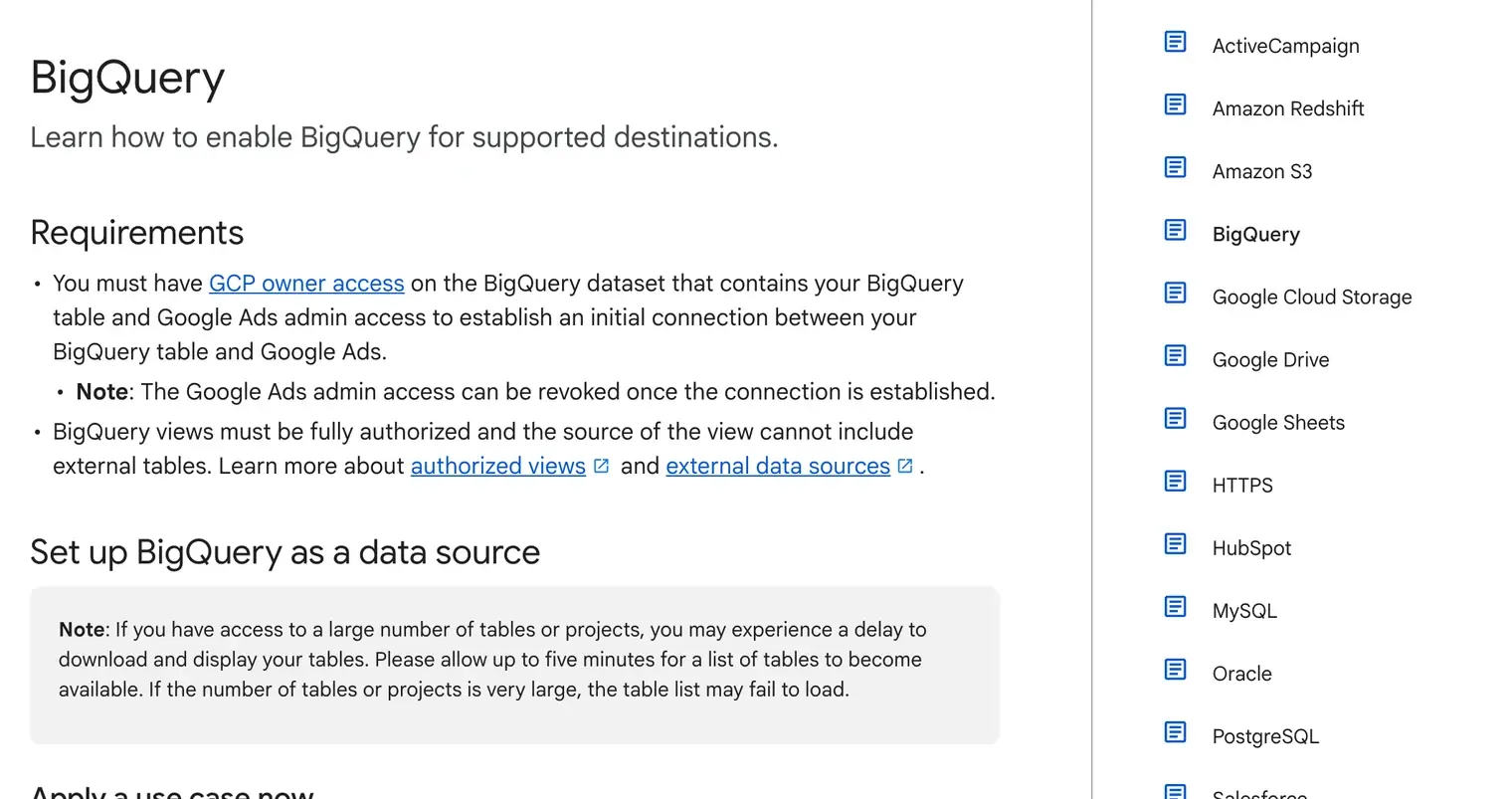
That page also states two things the announcement leaves out, and they often decide the timeline. You need GCP owner access on the dataset holding the table, on top of Google Ads admin access, to establish the initial connection. And BigQuery views have to be fully authorized, with no external table in their source. In a company where the data belongs to the engineering team, that authorization is rarely a formality.
How this differs from offline conversion imports
Until now, getting a sale from the CRM back into Google Ads meant producing a file. An export, a shared Sheet, a connector, sometimes a script running overnight that nobody watches anymore. Here, Google goes and reads the data where it already lives.
It is the difference between carrying buckets and laying a pipe. The bucket works perfectly well as long as someone carries it. The day that person goes on holiday, nothing warns you: you simply notice the account is receiving less.
So the gain is not data accuracy. A row read from a table is exactly the row from the file it replaces. What changes is the number of parts that can break quietly.
The two exclusions that decide for you
This is where the beta closes on a good share of accounts. Two conditions, published in June, that are not negotiable: the conversion action has to come from the Google tag or Google Tag Manager, and conversions imported from Google Analytics are excluded, along with URL-based actions.
An account that measures everything through GA4 therefore has no access to the feature on its main conversions, even when all of its data already sits in BigQuery. That is counterintuitive, since GA4 exports to BigQuery natively. It is still what the current conditions say, and nothing suggests they are final.
Every upload also has to carry a transaction ID, the conversion date and time, and at least one attribution identifier.
What this looks like on real accounts
I read the conversion actions across the fourteen accounts I manage: 1,389 in total, 335 of them active.
163 come from the tag or from GTM, slightly under one active action in two. Thirteen accounts out of fourteen have at least one, so nearly everyone has a way in somewhere. The fourteenth runs entirely on Android app downloads: no web conversion at all, so no web measurement beta will ever apply to it.
The number that actually matters sits elsewhere. Six accounts out of fourteen already run an offline conversion import, with the file and the chain that come with it. Those are exactly the ones this beta helps today, and they are the minority. For the others, a BigQuery connection solves a problem they do not have yet.
How to tell where you stand
Open your conversion actions and look at where each line comes from. Three cases.
- Tag or GTM, with a sales import already running. You are who this beta is for. Ask your Google contact for access.
- Tag or GTM, but nothing coming back from the CRM. Your project is not the connection, it is deciding which downstream stage deserves to be sent back. I went through that with journey-aware bidding, and the prerequisite is the same one.
- Everything comes from GA4. The beta does not apply to you yet. Mostly it reopens the old question of whether your main conversion should stay in Analytics.
Where to start
The order is counterintuitive, as it often is in measurement. The feature sits at the end of the chain, the work sits at the very beginning, in the type of conversion your account receives.
If your conversion actions are clean and your CRM already knows what happens to a lead, connecting the table is a formality. If not, it is a tracking and Google Tag Manager project, and it takes weeks, not an afternoon.
The first move is still to look at what your conversions actually report, line by line. That is the kind of call I make during an account audit before touching anything on a Google Ads account.