Firebase is Google's platform for building and running mobile and web apps: databases, user sign-in, notifications, crash reports, analytics. For someone who buys media, only one of these pieces really matters: the Google Analytics for Firebase SDK, the piece of code that tells Google Ads what people do in your app after they install it.
Without it, or without a tool that does the same job, you buy installs. With it, you can buy users. The whole topic sits in that gap.

A developer toolbox, with one piece that concerns you
Firebase is first a tool for technical teams. Google sorts its products into two families, and almost all of them speak to a developer:
- Build: user sign-in (Authentication), databases (Cloud Firestore, Realtime Database), file storage, backend functions, web hosting.
- Run: crash reports (Crashlytics), push notifications (Cloud Messaging), remote settings (Remote Config), A/B testing, and Google Analytics.
Firebase says millions of businesses use it, and its home page names NPR, Halfbrick, Duolingo and Venmo. So before any project starts, ask your developers. If the app already uses Firebase for crash reports or notifications, the project exists and part of the work is done!
One detail links this guide to the one on BigQuery: according to the Firebase documentation, a Firebase project is a Google Cloud project with extra Firebase settings. The iOS and Android versions of your app are registered side by side in it, share the same services, and each one becomes a data stream in the same GA4 property.
What Google Ads already sees without Firebase
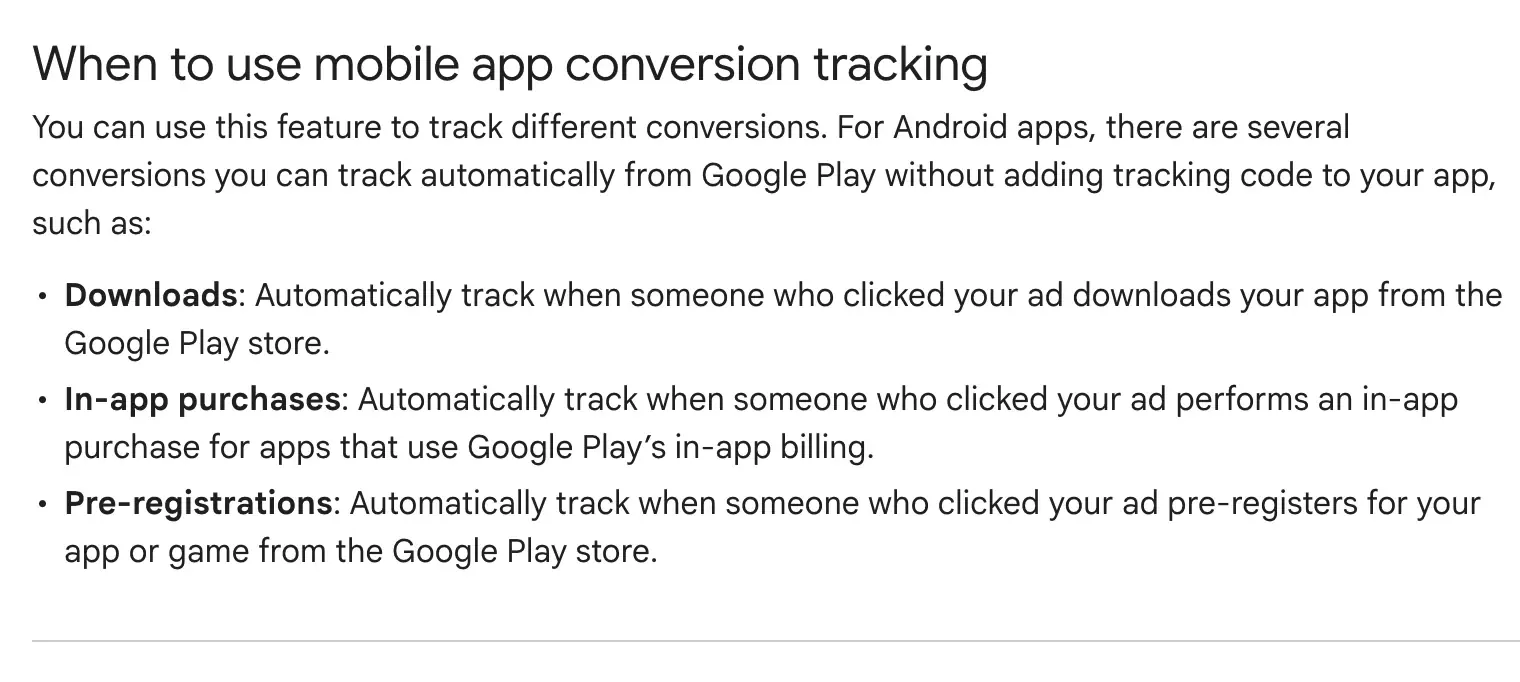
On Android, part of the work needs no code at all. Once Google Ads is linked to Google Play, Google Ads Help lists three conversions tracked automatically:
- Downloads from the Google Play Store, after a click on your ad.
- In-app purchases, when they go through Google Play's in-app billing.
- Pre-registrations for an app or game that is not out yet.
On iOS, the help page offers no automatic route of the same kind. The install and everything after it are measured with Firebase or with a third-party app analytics provider, by adding code to the app.
And on both systems, four things stay invisible without an SDK:
- The first open. GA4 calls it
first_open, and Google states in its list of automatically collected events that it fires the first time the app is launched, not at download. - The return: who opens the app again the next day, the next week.
- Your own steps: an account created, a first level finished, a first message sent.
- Purchases outside Google Play, like a subscription paid on your website.
I see this on my own accounts. The two apps I run App campaigns for right now both work without Firebase. On the first, a free app, the Android campaigns optimize for the Google Play download: 1,742 installs counted over thirty days, and no way to know how many of those people opened the app a second time. On the second, Apple Ads counts its own iOS installs, 266 in a month, and no purchase is linked back to its source.
For the first one, it is a deliberate choice: the install is the goal of the test, set by the client. I still recommend raising the question of what comes next at launch, because the answer is not settled in Google Ads. Adding an SDK means changing the app and shipping a new version: a product decision, with its own development schedule.
How the rest travels back to Google Ads
Think about gym sign-ups in January. The number is true, and it says nothing about who comes back in February. An install is the sign-up. The SDK is the badge that goes through the turnstile every time someone comes back.
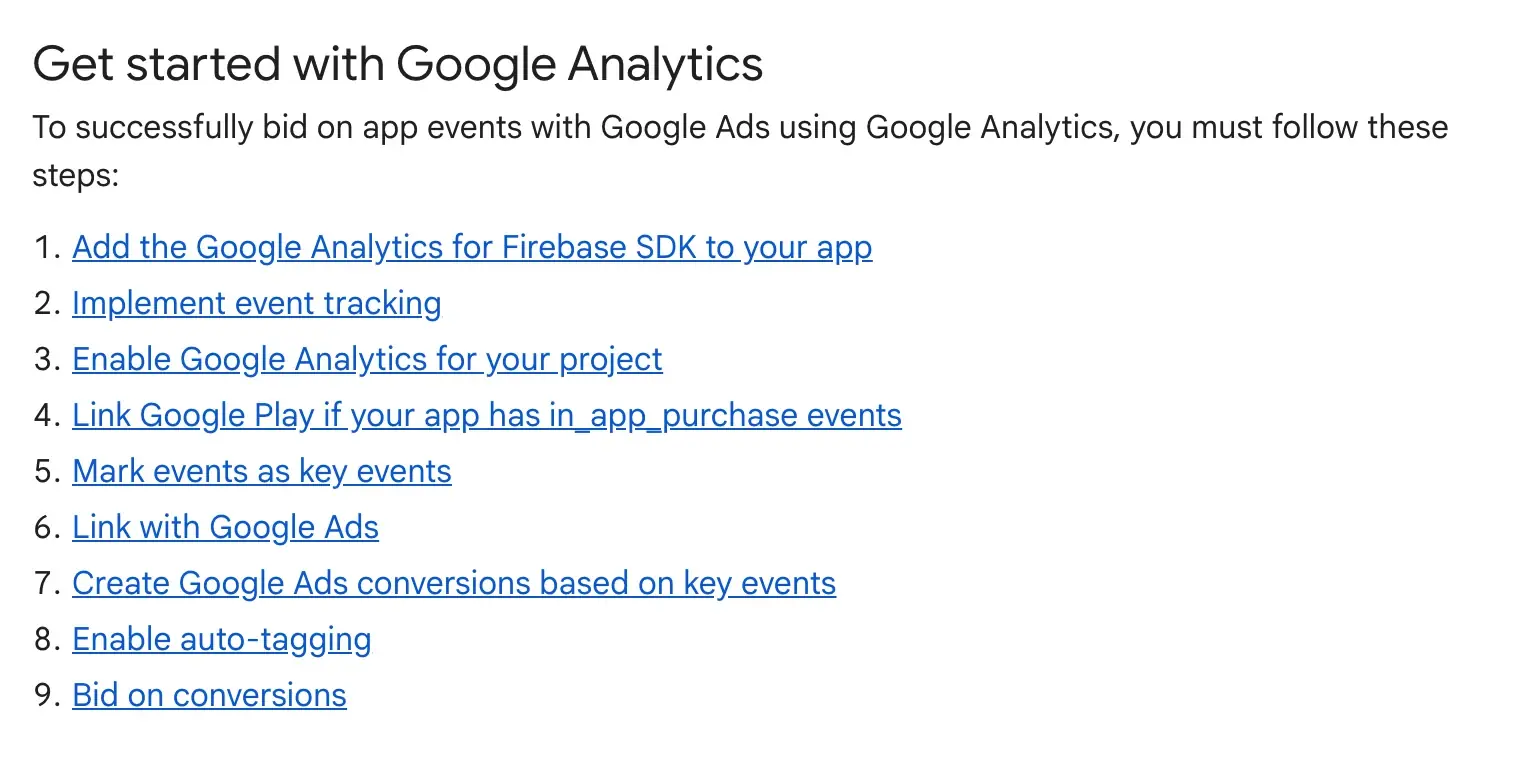
Google Ads Help describes the chain in nine steps. It reads in four stages:
- The SDK goes into the app. Your developers add the Google Analytics for Firebase SDK, which already collects some events on its own, including the first open and purchases made through the stores.
- You choose what counts. An event that matters to your business is marked as a key event in GA4.
- You link the accounts. You need to be an owner of the Firebase project and an administrator of the Google Ads account.
- You create the conversion. Key events are imported as conversion actions, and your App campaigns can bid on them.
A point for Europe: the same page asks you to update to the latest SDK version, so it passes consent signals correctly. That is what allows full measurement and modeling on traffic from the European Economic Area.
The algorithm optimizes what you show it. Show it the install, and it finds you people who install. Show it the first purchase, and it goes looking for buyers.
On iOS, Firebase also carries on-device measurement
On iPhone, Google offers on-device conversion measurement, and it runs through the Google Analytics for Firebase SDK. It works from iOS 12, in two variants that Google Ads Help recommends using together:
- With your first-party data: the email or phone number of a user signed in to your app, with their consent. Nothing that identifies them leaves the device.
- With temporary, de-identified event data, taken from device signals such as the IP address and the time.
Google reports a median 19% reduction in CPA on its own inventory for advertisers who set up the first variant and have a majority of users signing in. This is a number published by the platform, about the advertisers who meet those two conditions. My recommendation is to check it against your own data before you put it in a forecast.
What to ask your technical team
The brief fits on one page, and it is better written before the sprint than during it:
- The SDK in both versions of the app, iOS and Android, in its latest version for consent signals. On iOS, add the
GoogleAdsOnDeviceConversionlibrary if you want on-device measurement. - The list of events that count, with their names. Reuse the names Google recommends when they exist:
sign_upfor a sign-up,purchasefor a purchase,tutorial_completefor the end of onboarding, according to the list of recommended events. - Owner access to the Firebase project for the person who will link Google Ads.
- The release date of the new version. Nothing comes back until your users have installed it, and each store has its own review time.
What it costs
Firebase has two plans. Spark is free and needs no payment method. Blaze is pay-as-you-go: you link a Cloud Billing account, you keep the free quotas, and you pay for what goes beyond them.
The part that concerns you is free. On the pricing page, Google Analytics is free on both plans, with unlimited reporting on up to 500 distinct events. Crashlytics, notifications and A/B testing are free too. What you pay for by usage are the development pieces: databases, storage, functions, hosting. And if you want the export to BigQuery, the Spark plan goes through the sandbox, with its tables that expire after 60 days.
Two traps to know, both written in the documentation on plans:
- Linking a billing account moves the project to Blaze, including when you turn on a Google Cloud service from its console.
- A budget alert warns you, it does not cap your usage or your bill.
The real cost is somewhere else: development time, and a new version of the app to ship.
When you need it, and when you can skip it
Firebase becomes useful as soon as one of these sentences is true for you:
- You want to bid on an action inside the app, beyond the install.
- You run Google App campaigns on iOS.
- You want to target people based on what they do in the app: Firebase exports its audiences to Google Ads.
- Your developers already use it for something else: the project exists, and the work gets smaller.
And you can skip it in these cases:
- You only have a website: GA4 is installed with the Google tag or Google Tag Manager.
- Your app is free, Android only, and the install is your only goal: the Google Play link is enough.
- A third-party attribution partner already sends your events to Google Ads.
I do not recommend adding Firebase « just in case » to an app whose events nobody will look at. An SDK with no question behind it produces reports nobody opens.
The three most searched questions
Is Firebase free? Yes for measurement: Google Analytics, Crashlytics, notifications and A/B testing are free on both plans, whatever your number of users. Databases, storage, functions and hosting have a free quota, then are paid by usage on the Blaze plan. For an advertiser who only comes for measurement, the Firebase bill usually stays at zero.
Are Firebase and GA4 the same thing? They are linked, and they are two different things. GA4 is the analytics tool; Firebase is the platform that runs your app. The SDK that measures an app is called Google Analytics for Firebase, and according to Analytics Help, adding an app data stream in GA4 creates the matching Firebase project and links it automatically.
Do you need Firebase to run an App campaign? Not for an Android app whose goal is the install: the Google Play link brings back downloads and Google Play purchases with no code. You need it, or a similar third-party tool, as soon as you want to bid on an action inside the app, or measure your App campaigns on iOS.
Before you talk to your developers, open the settings of your App campaigns and check which conversion action they optimize for. If the list stops at the download, you know exactly what you are buying. It is the first thing I check in an account audit, before touching the bids of a Google Ads campaign.